CRTVT TV OS
Clean screen for your Home
9 things it does well.
Flights over the city, the race as it happens, the news, world TV, radio and prayer times. Built for a remote, readable from the sofa.
-
Sky
Flight Deck
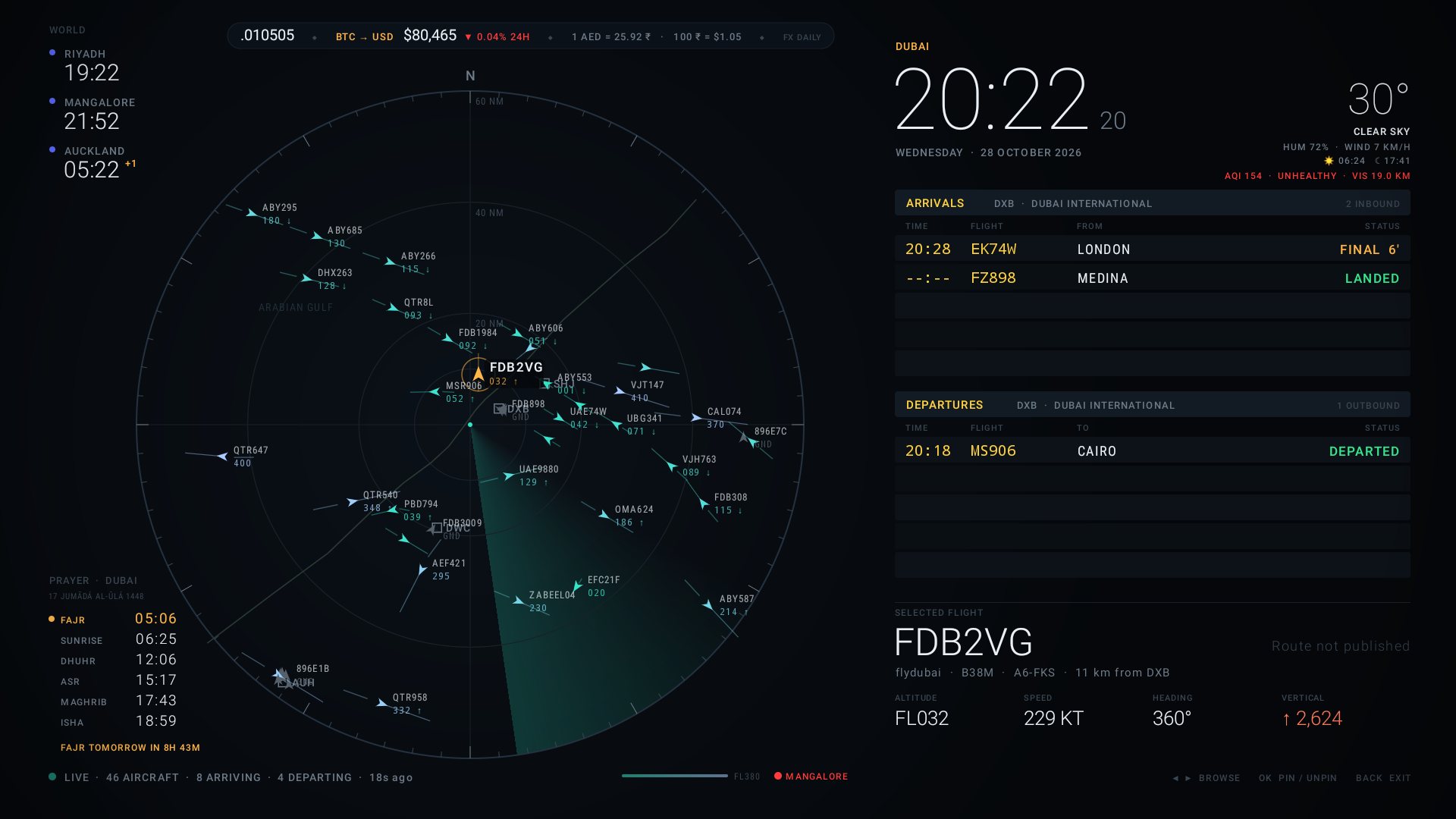
A live radar of every aircraft around Dubai, with DXB arrivals and departures. Pick a flight to see its altitude, speed and heading. World clocks, weather, air quality and prayer times sit around the edge.
-
Track
Pit Wall
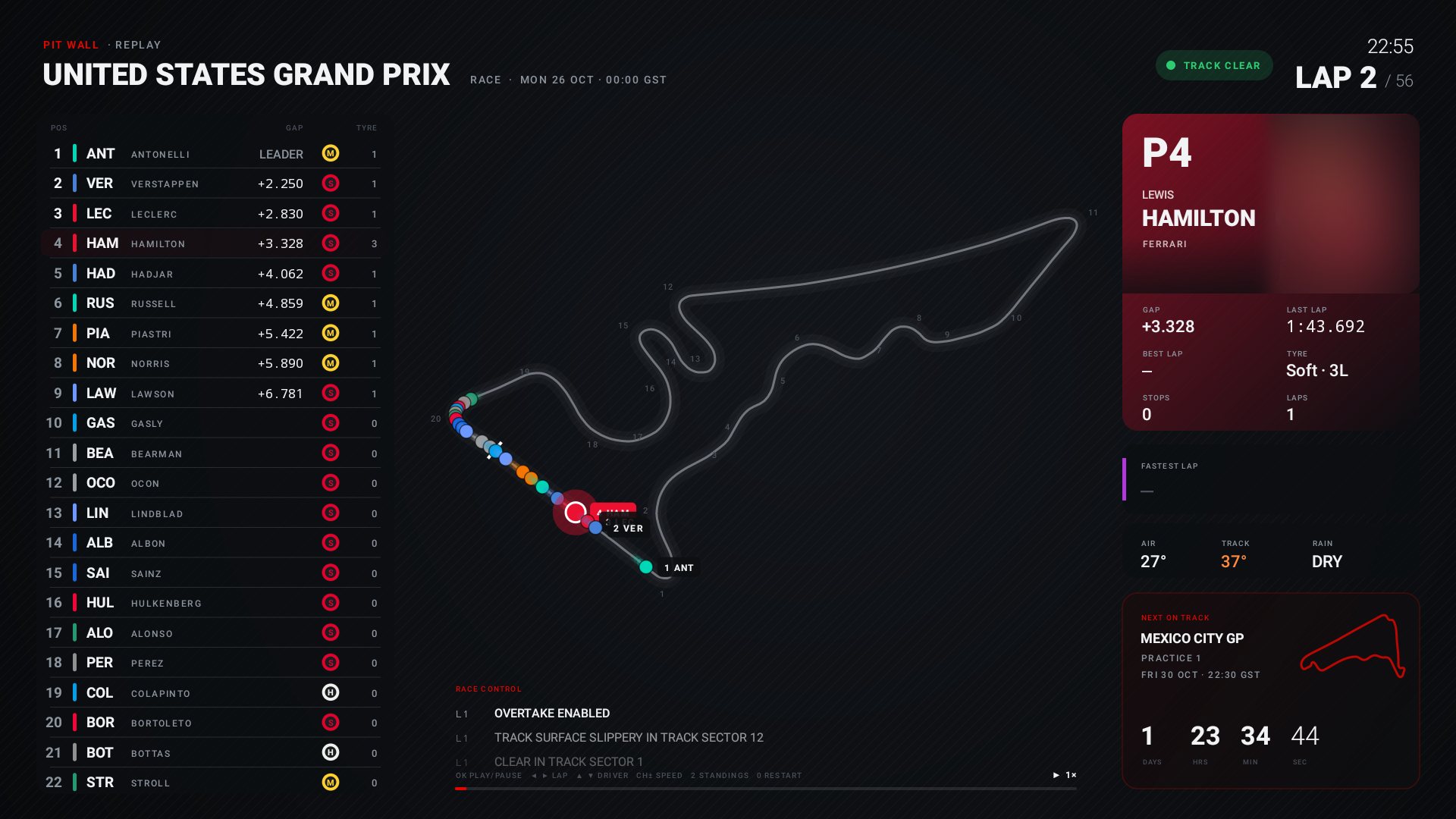
Formula 1 on the big screen: race order, gaps and tyres, every car on the track map, race control and weather. Between races, a countdown to the next session.
-
News
PULSE
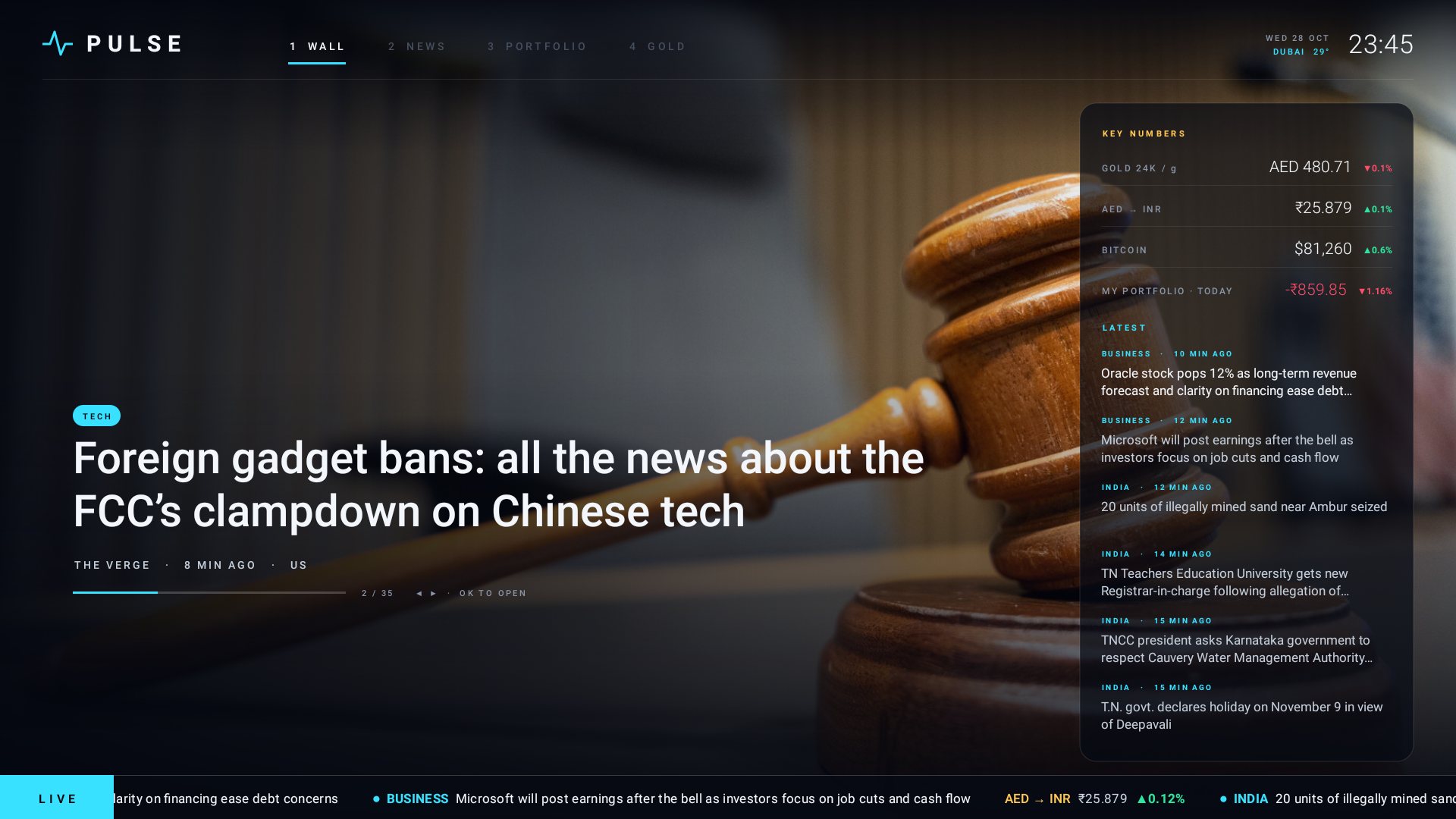
A news wall for the living room. Big stories, a live ticker, and the numbers you check every day: gold, AED to INR, Bitcoin and your own portfolio.
-
Channels
World of TV
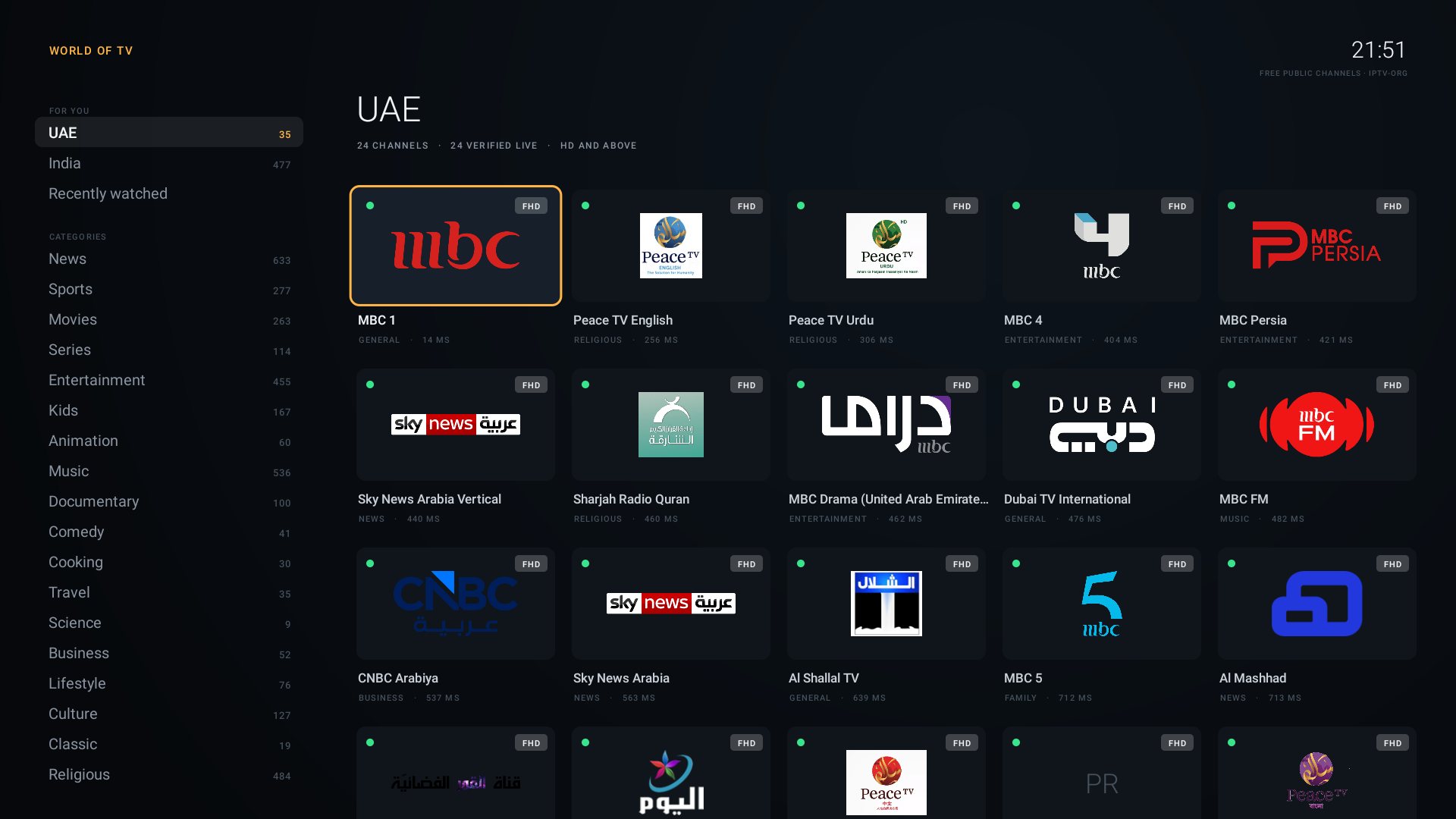
Free public TV channels from around the world, grouped by country and category. Checked live and shown in HD and above.
-
Sound
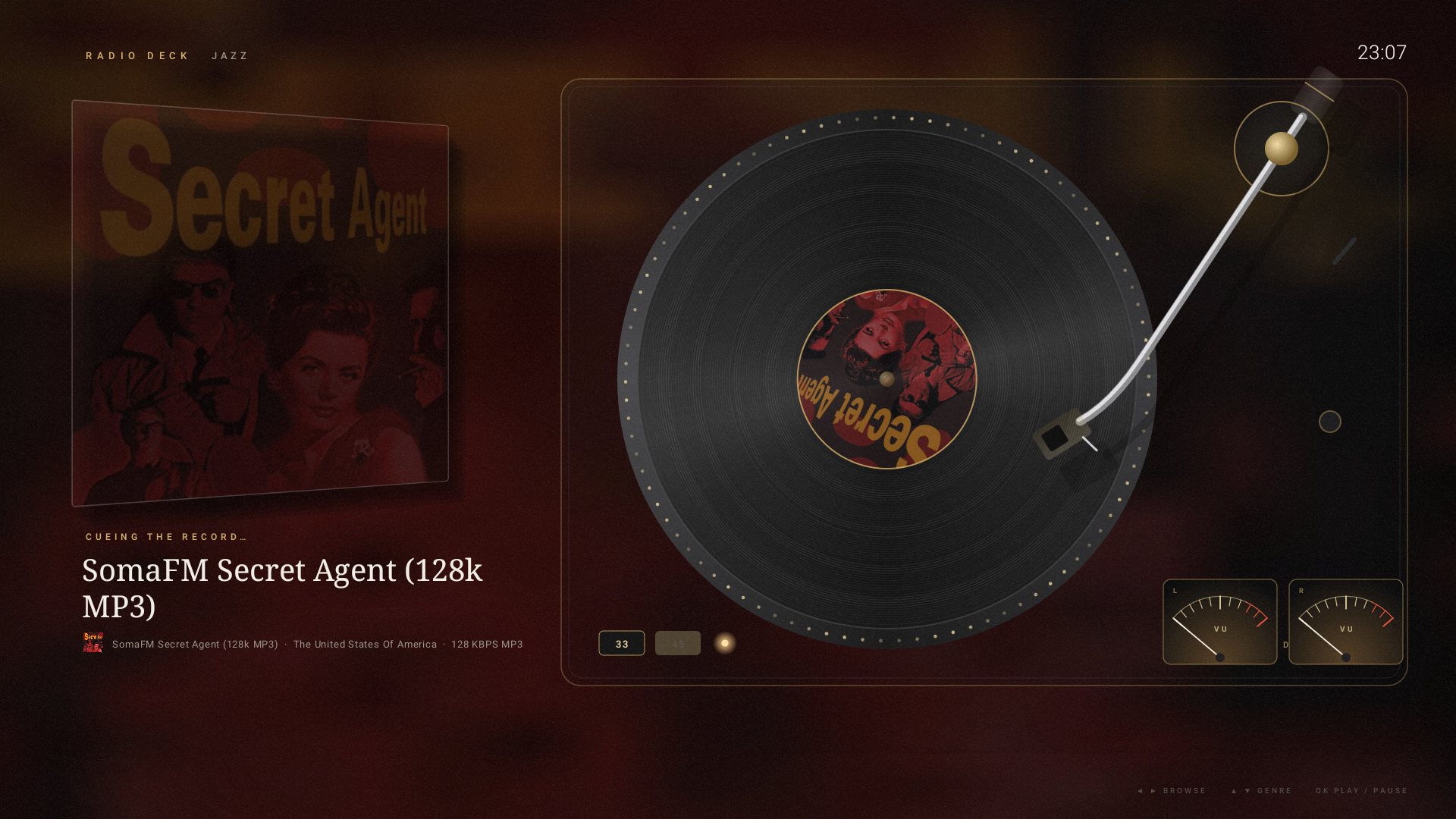
Radio Deck
Internet radio on a turntable. Browse stations by genre while the record spins and the VU meters move.
-
Faith
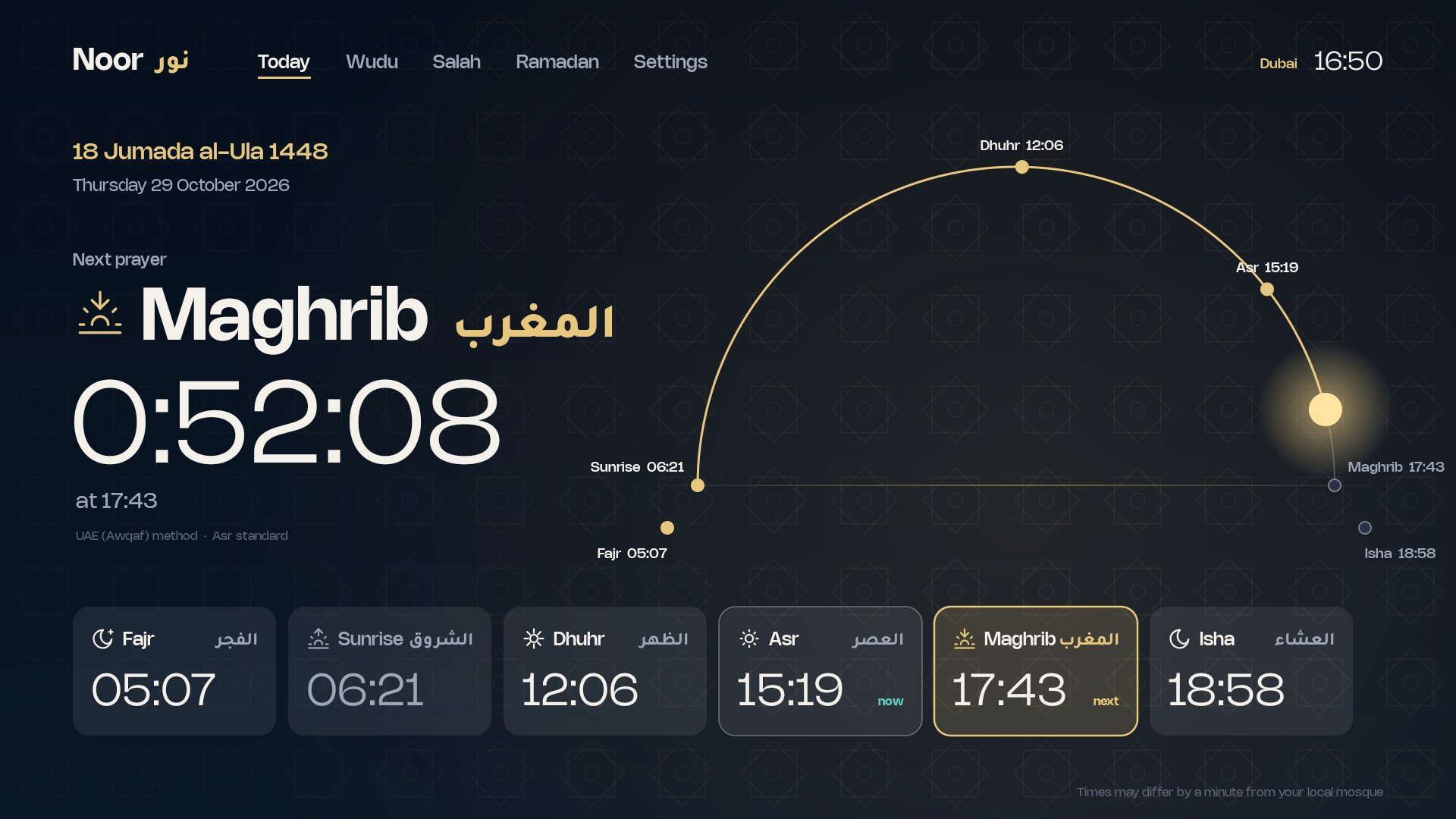
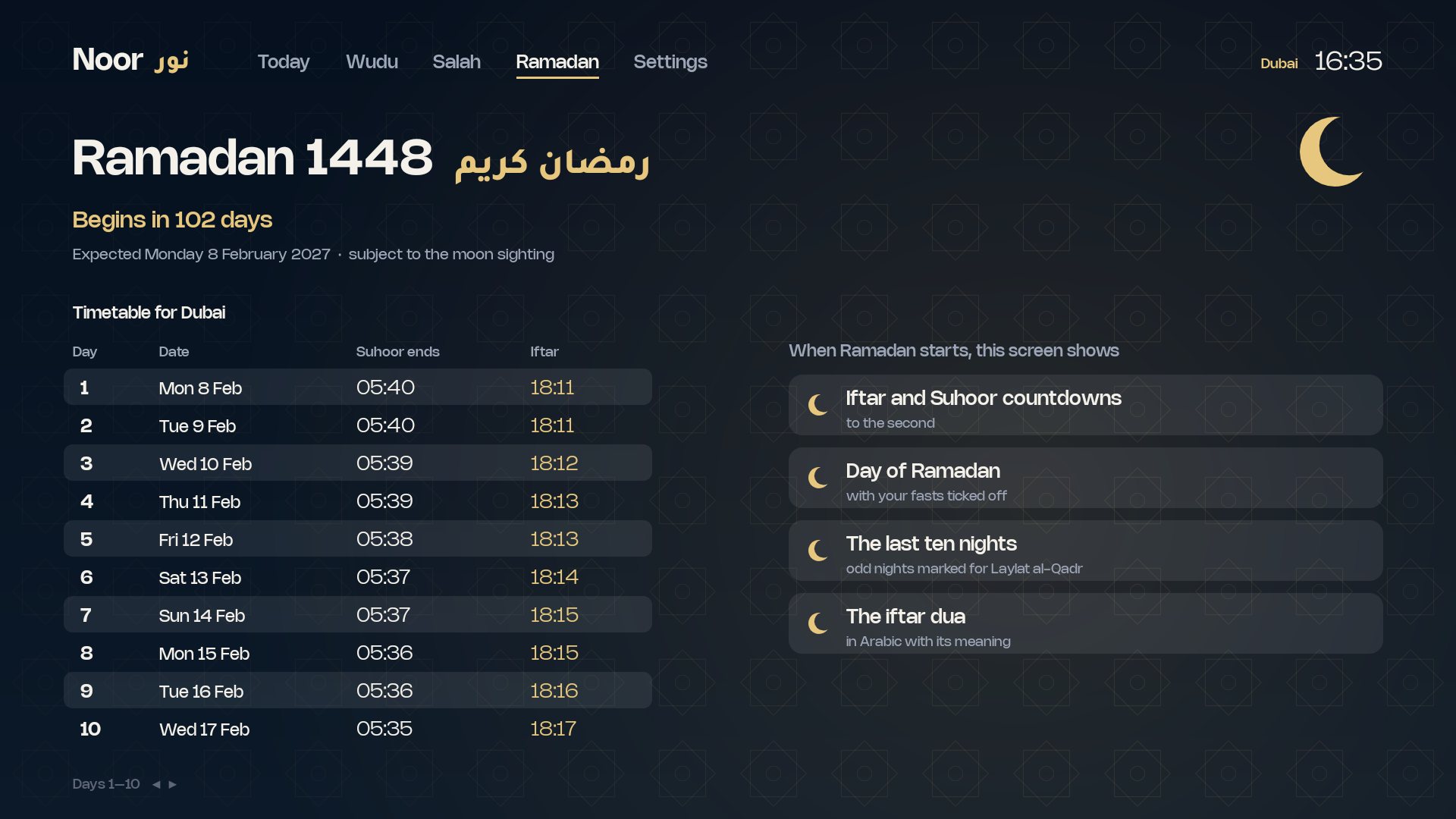
Noor نور
Prayer times for your city with a countdown to the next prayer and the sun’s path across the day. Wudu and Salah guides, and a Ramadan timetable for suhoor and iftar.
-
Kids
Letters
English and Arabic letters for ages 2 to 4. One app, one switch between languages.
-
Home
CRTVT Home
The home screen that ties it together. Press Home on the remote to come back from anywhere.
-
Phone
CRTVT on your phone
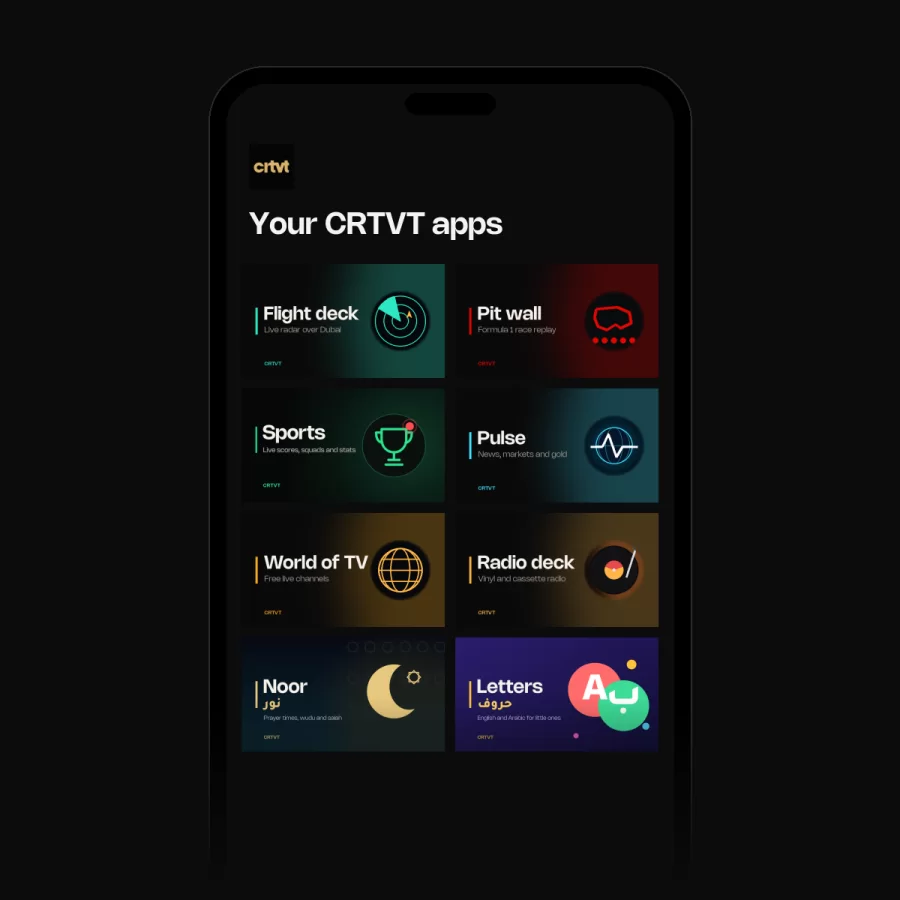
All eight apps, rebuilt for touch: Flight Deck, Pit Wall, Sports, PULSE, World of TV, Radio Deck, Noor and Letters. Install from crtvt.com/phone.
See every screen.
Now on your phone.
All eight CRTVT apps, rebuilt for touch. One app, in your pocket.
- Flight Deck. Live radar and airport boards. Pick Dubai or another airport, tap any aircraft for its route, altitude and speed, then pin it and follow it in.
- Pit Wall. Formula 1, lap by lap: the leaderboard, track map, race control, tyres and replays, with driver and constructor standings.
- Sports. Live scores, squads and stats for football, cricket, basketball and tennis, from the Premier League and LaLiga to the IPL.
- PULSE. News, markets and gold: headlines, Dubai gold, currencies, crypto and your portfolio.
- World of TV. Free live channels from around the world.
- Radio Deck. Live radio on a turntable or a cassette deck.
- Noor. Prayer times, a step-by-step prayer guide and Ramadan countdowns.
- Letters. English and Arabic letters for little ones.
For Android 7 and later. Free, with no account and no ads. Open crtvt.com/phone on your phone to install.
Install it on your TV
CRTVT TV OS installs straight from our site, outside Google Play. It takes about five minutes, once.
- Get Downloader. On the TV, open Google Play, search for Downloader (by AFTVnews) and install it.
- Allow it to install apps. Open Settings → Apps → Security & restrictions → Unknown sources and switch Downloader on. On some TVs this sits under Settings → Device Preferences → Security & restrictions.
- Install CRTVT Home. Open Downloader, type crtvt.com/tv and press Go. When the download finishes, press Install.
- Make it home. Press Home on the remote. If the TV asks which app to use, choose CRTVT Home and Always.
- Add the apps you want. Back in Downloader, type each app’s code and install it the same way: crtvt.com/tv/flight, /tv/pitwall, /tv/pulse, /tv/worldtv, /tv/radio, /tv/noor, /tv/letters. Each app appears on CRTVT Home once installed.
From a phone or computer instead: download the file below, copy it to a USB stick, plug it into the TV and open it with any file manager.
Every app, its code and its file
- CRTVT Home · type crtvt.com/tv · CRTVT-Home.apk · 0.2 MB
SHA-256 4ff0e6fe9e501f21953821034b39759921d653371b0c79435d103801b353e017 - Flight Deck · type crtvt.com/tv/flight · Flight-deck.apk · 0.1 MB
SHA-256 d03cc3e518a4cd13e167203cfbc345104cf1e05857680da962f387675b1a1984 - Pit Wall · type crtvt.com/tv/pitwall · Pit-wall.apk · 0.1 MB
SHA-256 3716064d253c4b1220bfe2adc29ac279fd2bafae3c3ffc3e9240224192b5e2e0 - PULSE · type crtvt.com/tv/pulse · Pulse.apk · 0.5 MB
SHA-256 59296cdeabfb71c4bb4418936fe175a766d59c66d95cd256a02f552aaff788db - World of TV · type crtvt.com/tv/worldtv · World-of-TV.apk · 0.1 MB
SHA-256 69cf5414ed344b09e67fecb24312a4ba76e1036709890f863b3e7d12111c2683 - Radio Deck · type crtvt.com/tv/radio · Radio-deck.apk · 0.1 MB
SHA-256 86a4c6a93050146fae704609655537d365b3f0dc42fafae20b7e034f16d8f773 - Noor · type crtvt.com/tv/noor · Noor.apk · 0.3 MB
SHA-256 f2710ed63e845ea27c764323344d9c99868042bd63b420adc088505d25573cb4 - Letters · type crtvt.com/tv/letters · Letters.apk · 0.2 MB
SHA-256 99d10a126ac79300551da2409b4a1197f14656c87a3fdd5ddae3e7fb9a0cb4f5
On your phone
CRTVT also runs on Android phones: all eight apps, made for touch.
- Open crtvt.com/phone in your phone’s browser. The download starts.
- Allow the install. When Android asks, let your browser install apps, then go back.
- Install and open CRTVT. It appears with your other apps. If you installed an earlier version, this one updates it.
- CRTVT for phone · type crtvt.com/phone · CRTVT-Phone.apk · 3.9 MB
SHA-256 7cdbb97d0b003bd6119144fae658ea3bc7f98079ee61803b1b0d883a80068ce3
The SHA-256 lets you check a download is exactly the file we published.
Updating: type the same code again. The new version installs over the old one and keeps your settings.
How to use it
Everything works from the remote. The arrows move, OK picks, Back steps back, Home starts again. Each app shows its own keys at the bottom of the screen.
- Flight Deck. ◀ ▶ browse flights. OK pins a flight. Back exits.
- Pit Wall. OK plays or pauses a replay. ◀ ▶ change lap, ▲ ▼ change driver, CH ± changes speed, 2 shows standings, 0 restarts.
- PULSE. 1–4 jump to Wall, News, Portfolio and Gold. ◀ ▶ move through stories. OK opens one.
- World of TV. ▲ ▼ choose a country or category, ▶ move into the channels, OK to watch.
- Radio Deck. ◀ ▶ browse stations, ▲ ▼ change genre, OK plays or pauses.
- Noor. Move across Today, Wudu, Salah, Ramadan and Settings. Times follow the UAE (Awqaf) method and may differ by a minute from your local mosque.
Questions
What does it run on?
Android TV devices, including Android TV set-top boxes. If your device has Google Play, it can run CRTVT TV OS.
Is it safe to install from outside Google Play?
Android asks you to allow installs from the app you download with, here Downloader. Only download from crtvt.com, and check the SHA-256 shown above if you want to be sure the file is ours.
Can I go back to my old home screen?
Yes. Choose your home app in the TV’s settings, or uninstall CRTVT TV OS like any other app.
Do I need an account?
No sign-in is needed to use the apps.
Something isn’t working.
Write to hello@crtvt.com with your TV model and what you see. A photo of the screen helps.
Made by CRTVT.
A creative studio in Dubai. We design products for screens of every size, including our own.