Web + iOS · Venue screen networkA CRTVT product

SIGNAL OS

SIGNAL OS turns every screen in a venue into one connected network.

Book a demo
Coming soon on theApp Store Coming soon onGoogle Play
SIGNAL OS: OverviewSIGNAL OS: Live opsSIGNAL OS: Screen detail
Overview3 screens
Inside SIGNAL OS

4 things it does well.

  1. Set up

    Pair, organise, schedule

    Pair a TV, kiosk or Android display by scanning a QR code. Organise screens by venue and zone. Upload media once, build playlists, and schedule them to the minute in local time.

  2. Go live

    One tap, every screen

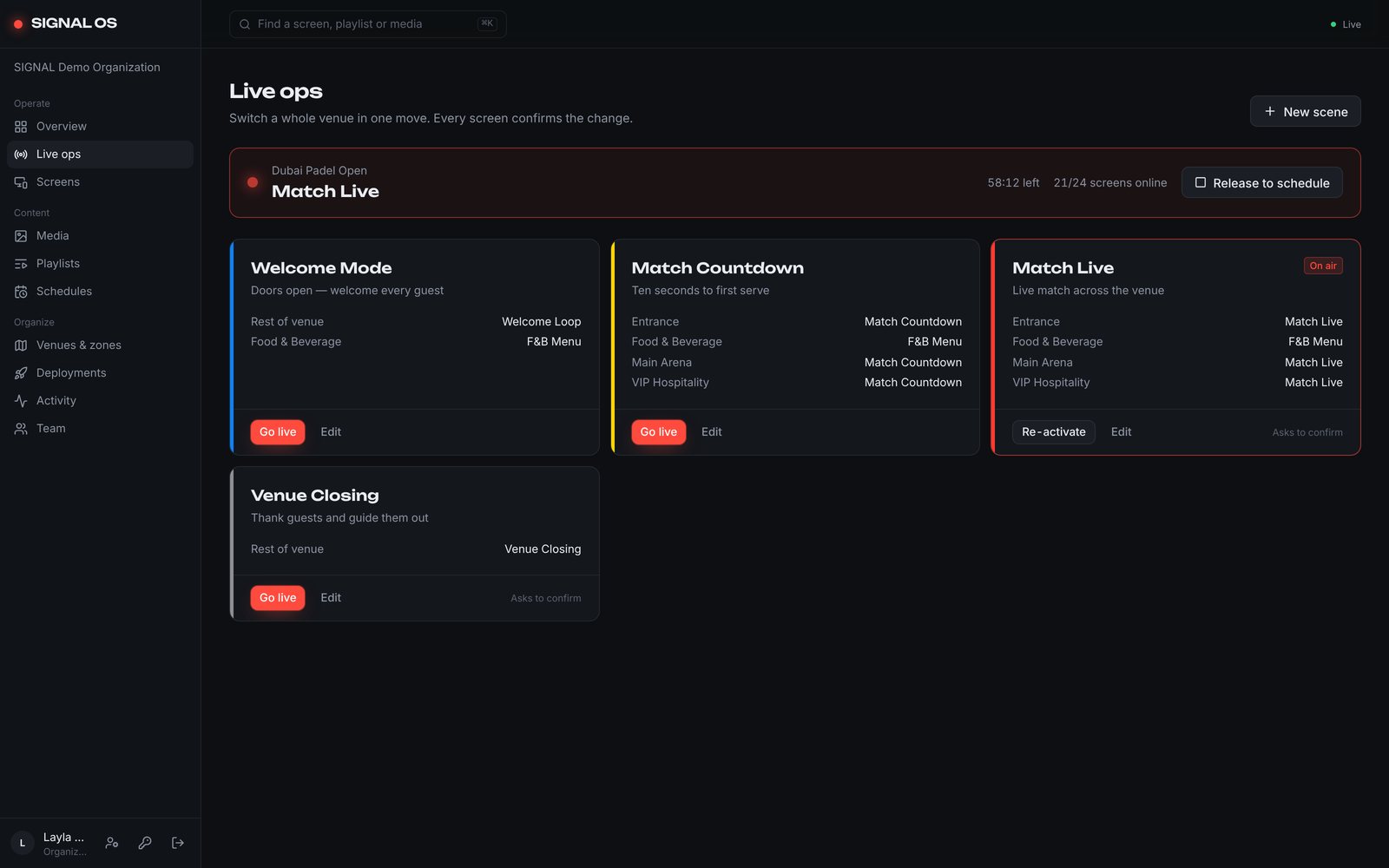
    When the moment changes, so does the venue. One tap switches every screen to a live scene, such as Match Live, VIP Hospitality or Venue Closing, from the web or from SIGNAL Remote on your phone.

  3. Stay on air

    Cached and confirmed

    Screens keep playing from their own cache when the network drops. Every command is confirmed by the screen itself, so you always know what is actually on display.

  4. Scale

    Built for venues

    Built for stadiums, events, hospitality and retail. Each organisation’s data is kept fully separate, and access is set per role and per venue.

The screens

See every screen.

SIGNAL OS: Overview
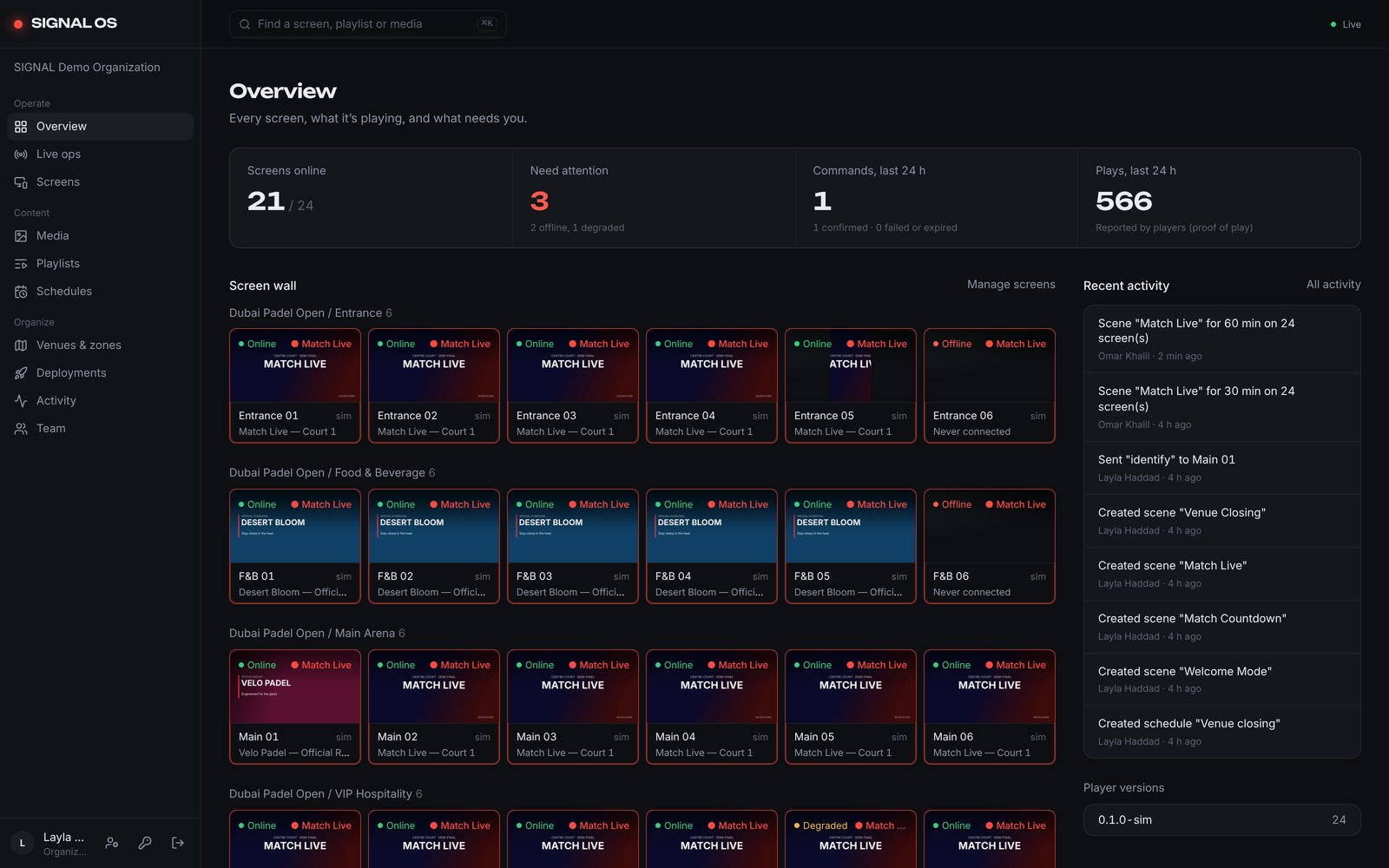
01 / 03OverviewEvery screen, what it’s playing, and what needs you.
SIGNAL OS: Live ops
02 / 03Live opsSwitch a whole venue in one move. Every screen confirms the change.
SIGNAL OS: Screen detail
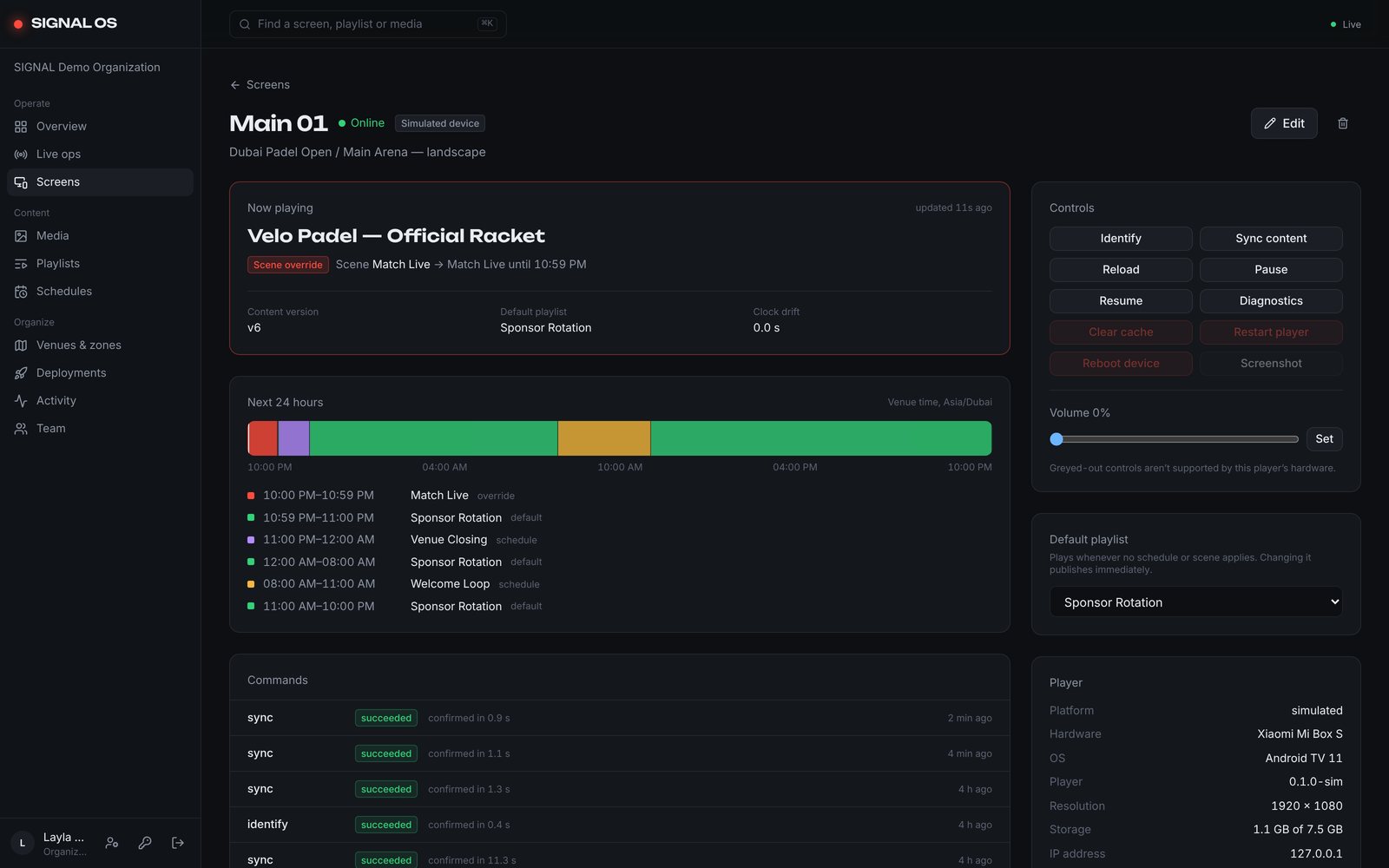
03 / 03Screen detailOne screen: what’s playing now, the next 24 hours, and every command it confirmed.
Try it

Switch a whole venue. Tap a scene.

Try it · Dubai Padel Open16/16 screens confirmed
Tap a scene. Every screen confirms the change.
SIGNAL OS: OverviewSIGNAL OS: Live opsSIGNAL OS: Screen detail

Every screen, what it’s playing, and what needs you.

Want SIGNAL OS in your venue?

Tell us about the space. A person reads every message.